


Every church LED screen quotation is written in a vocabulary that most buying committees never learned, and that gap is where bad decisions happen. This glossary explains the terms that actually change what you pay and what the congregation sees — pixel pitch, refresh rate, nits, grayscale, scan mode, viewing distance — in the order they appear on a real specification sheet. We wrote it after sitting in board meetings where a single misunderstood number, usually pitch or nits, moved a decision by tens of thousands of dollars.
Quick Answer: The Four Numbers That Matter
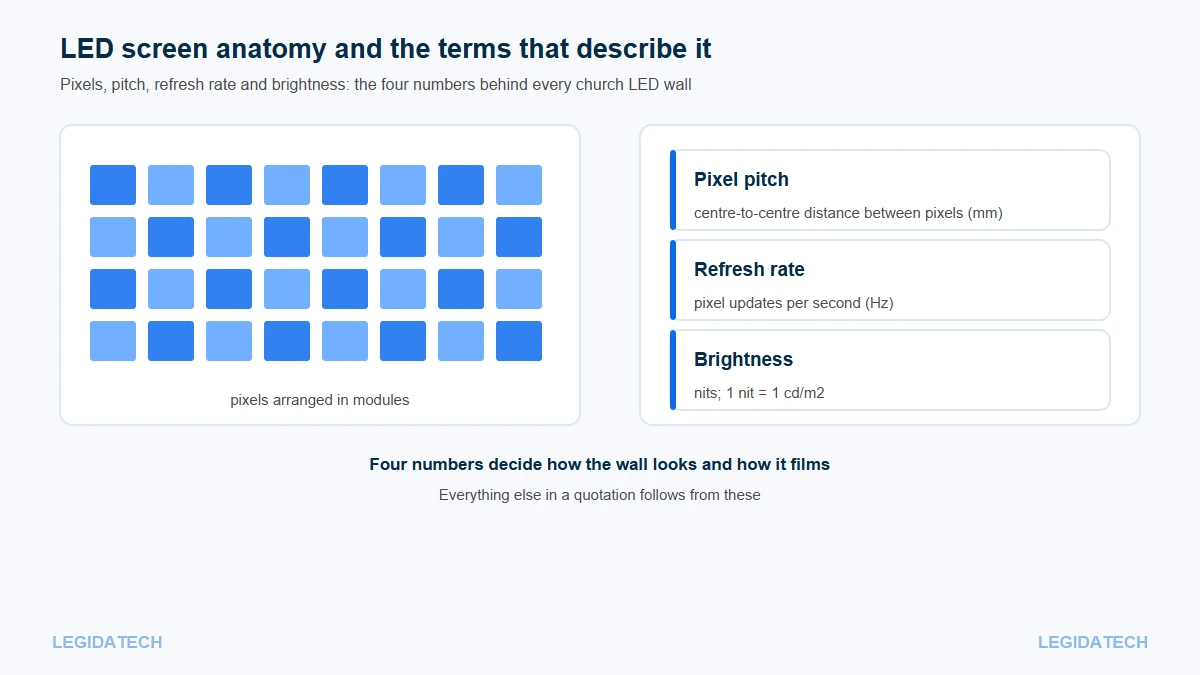
Quick Answer: Pixel pitch sets resolution and price, refresh rate sets how the wall films, nits set brightness, and bit depth sets gradient smoothness; of the four, pitch and refresh rate decide most outcomes.
If a supplier sends a spec sheet with fifty rows, these four carry most of the decision:
- Pixel pitch — the physical distance between pixels, in millimetres. Smaller pitch means more pixels per square metre, more cost, and closer comfortable viewing.
- Refresh rate — how many times per second each pixel updates, in hertz. Low refresh looks fine to the eye and terrible on camera.
- Brightness (nits) — how much light the wall emits. Indoors, more is not better; it costs camera headroom and eye comfort.
- Grayscale (bits) — how many brightness steps each colour can show. More bits mean smoother gradients on stage content.
Pixel Pitch: The One Number That Sets Price and Viewing Distance
Pixel pitch is the centre-to-centre distance between two neighbouring pixels, measured in millimetres and written as P plus the value: P2.5 means 2.5 mm. It is the single largest driver of price, because halving the pitch quadruples the number of LED beads for the same wall area.
Any LED screen glossary worth reading has to start here, because pitch appears in every quotation and is the first number buyers misread. Pitch also decides how close a viewer can sit before the image breaks into visible dots. LED display engineering practice gives three working rules: minimum comfortable viewing distance is about 1,000 times the pitch value, optimal distance about 3,000 times, and maximum useful distance about 30 times the screen height. At P2.5 that means comfortable from roughly 2.5 m and a sweet spot near 7.5 m — which is why P2.5 suits most sanctuaries.
How Pitch Becomes Resolution
Resolution is simply the physical size divided by the pitch. A 5 m wide wall at P2.5 gives 2,000 pixels across; the same wall at P3.9 gives about 1,282. That is the whole relationship, and it is why a church that wants a sharper image has two options rather than one: a finer pitch, or a wider wall. Our pixel pitch explainer works through the arithmetic with sanctuary examples.
In our church project records, P2.5 accounts for 23 of the 25 installations where a pitch was logged, which tells you where the market has settled for 300-500 seat rooms. The variable is not the pitch itself but the room: balconies and long halls sometimes move to P3.0-P3.9 to control cost without losing legibility at the back row.
Refresh Rate and Scan Mode: Why Your Wall Flickers on Camera
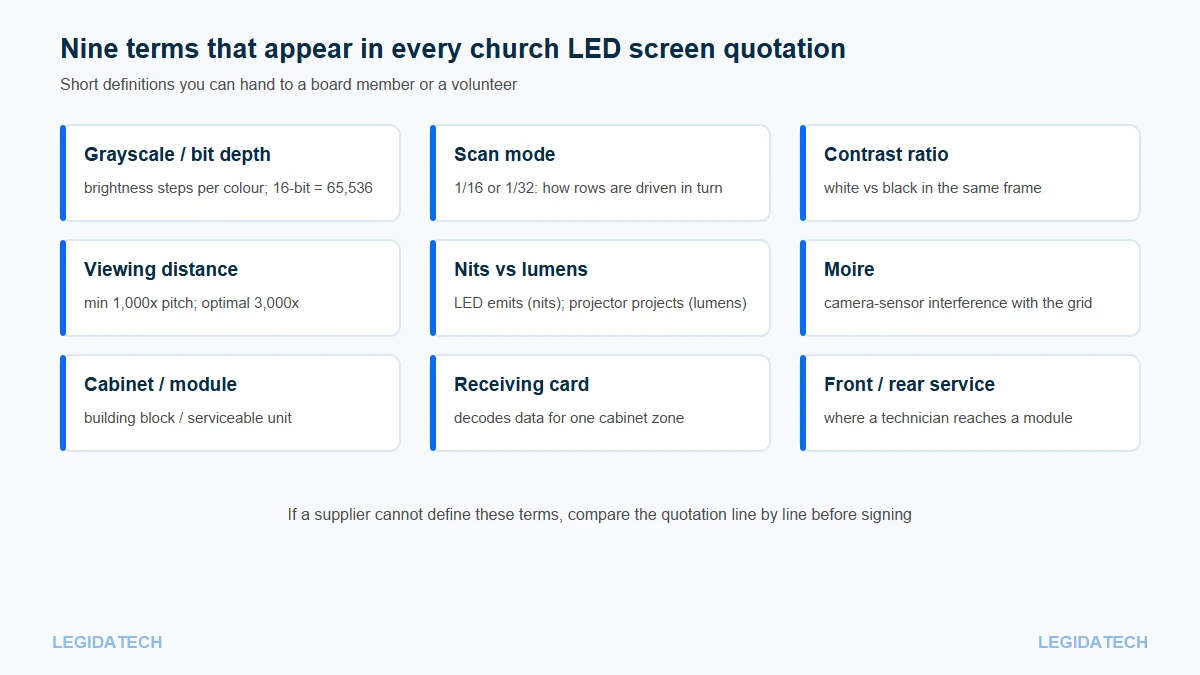
Refresh rate is how many times per second each pixel is updated, written in hertz. Scan mode describes how the driver circuits light rows in turn — 1/16 or 1/32 are typical — because driving every pixel simultaneously would need an impractical number of wires.
To the human eye, a 1,920 Hz wall and a 3,840 Hz wall look identical. To a camera, they do not. When the refresh rate is low relative to the shutter speed, the camera captures the scanning process as dark bands or flicker across the image. Engineering guidance in the LED industry is consistent on this point: below about 1,920 Hz, filmed screens show scan lines, and production-grade installs specify 3,840 Hz; some XR stages go to 7,680 Hz.
What “3,840 Hz” Actually Fixes
In a working LED screen glossary, refresh rate and scan mode belong together, never as separate answers. A high refresh rate removes the wall as a camera problem, but only partly. Moire — the wavy interference pattern between the pixel grid and the camera sensor — depends on lens focal length, shooting distance and angle as much as on refresh rate. Church media teams that shoot wide often find that a longer lens around 50 mm reduces moire more than any screen change. The practical rule is that refresh rate, scan mode, shutter speed and lens choice have to be decided together, not one at a time.
If your services are livestreamed, this is the specification to press hardest on, and it is one of the checks in our guide to reading an LED screen spec sheet.
Nits, Lumens and Brightness: Two Different Units
Brightness for an LED wall is measured in nits, where 1 nit equals 1 candela per square metre (1 cd/m²). Projectors are measured in lumens, which describe light output rather than surface brightness — that is why the two numbers cannot be compared directly, and why “our projector is 8,000 lumens” tells you almost nothing about how it will look next to an LED wall.
High-brightness LED beads can reach roughly 10,000 cd/m², which is where outdoor signage lives. Indoor church walls sit far lower: typically around 800-1,500 nits, and often run well below their maximum. Running an indoor wall at full output in a dim sanctuary strains eyes and blows out cameras; the better practice is to calibrate presets for daylight, normal service and evening, and let the wall run at 30-50 percent most of the time.
Why 10,000 Nits Exists and Why Churches Do Not Need It
Outdoor modules need that headroom to compete with direct sunlight. Our outdoor series, for example, is specified at 5,000-6,000 nits and IP65 sealing because the sun is the design constraint. Indoors, the constraint is the opposite: the room is darker than the wall, so the wall has to come down. More detail on the indoor trade-off is in how bright a church LED screen should be.
Grayscale and Bit Depth: The Number Nobody Asks About
Grayscale is the number of brightness steps a colour channel can produce, expressed in bits. Sixteen-bit control gives 65,536 steps per colour, compared with 256 steps at 8-bit. That headroom is what keeps gradients smooth on scenic content during Easter and Christmas productions instead of showing visible bands.
Bit depth interacts with brightness in a way that matters for churches, which is why a practical LED screen glossary treats them as one topic: at low output levels, a cheap driver IC loses steps and the image turns blotchy. The industry answer is described as low-brightness, high-grayscale — holding at least 12-bit at around 30 percent brightness. Ask for it in writing if your wall will spend most services dimmed.
Contrast Ratio, Black Level and the Ambient Light Problem
Contrast ratio compares the brightest white to the darkest black in the same frame. For LED walls the figure is less meaningful than it sounds, because a black pixel is simply switched off — the real question is how much ambient light reflects off the module surface. A wall facing windows will look washed out regardless of its quoted contrast ratio, which is why matt-black masks and light-absorbing surfaces matter more than the number on the sheet.
Viewing Distance, Aspect Ratio and Cabinet Sizes
Viewing distance is the distance from the wall to the nearest and furthest viewer; the three pitch multiples above are the working rules. Aspect ratio is the width-to-height ratio — 16:9 for video, 21:9 or wider for stage backdrops — and because an LED wall is assembled from cabinets, any ratio is possible within cabinet increments. Cabinet is the box that holds modules, a receiving card and a power supply; module is the smallest unit a volunteer can replace.
For the sizing side of this vocabulary, the church LED screen size chart by seating capacity converts room depth and seat count into an area; the complete buying guide puts these terms into the order a purchase actually happens.
Controller, Receiving Card and Processor Terms
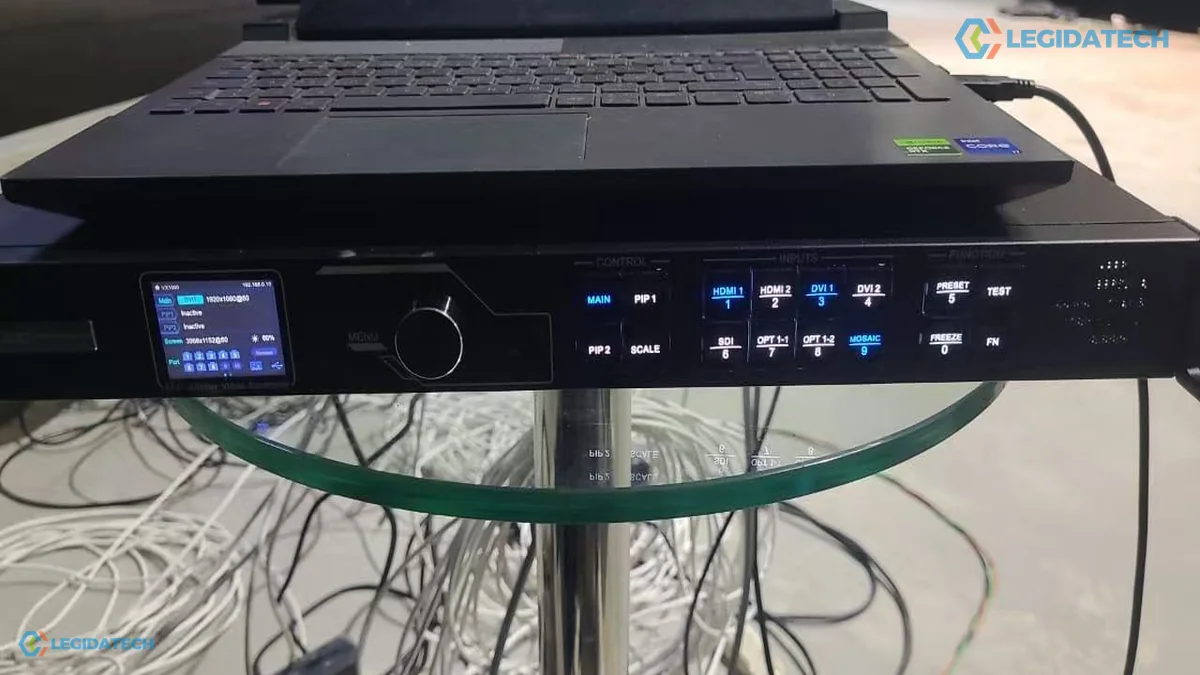
The LED controller (sending card or independent controller) receives the video signal and splits each frame across Ethernet ports. A receiving card sits inside each cabinet and converts that data into signals for the driver ICs. A video processor sits upstream: it accepts HDMI, DVI, SDI or fibre inputs, scales and switches between them, and feeds the controller. In church installations the processor is what volunteers actually touch when they switch from lyrics to camera.
The Glossary Table
| Term | Plain meaning | Why a church cares |
|---|---|---|
| Pixel pitch | Distance between pixel centres (mm) | Sets price and how close people can sit |
| Resolution | Width and height in pixels | Decides whether lyrics and IMAG stay sharp |
| Refresh rate | Pixel updates per second (Hz) | Below ~1,920 Hz the wall flickers on video |
| Scan mode | How rows are driven in turn (1/16, 1/32) | Works with refresh rate to set camera behaviour |
| Nits | Brightness (1 nit = 1 cd/m²) | Indoor walls need 800-1,500 nits, not 10,000 |
| Lumens | Projector light output | Not comparable with nits; do not compare quotes across units |
| Grayscale / bit depth | Brightness steps per colour | 16-bit (65,536) keeps gradients smooth |
| Low-bright high-gray | Keeping bit depth when dimmed | Walls run at 30-50% most Sundays |
| Contrast ratio | White vs black in one frame | Less useful than ambient-light handling indoors |
| Moire | Camera interference with the grid | Managed by lens, distance and refresh together |
| Module | Smallest replaceable board | A dead pixel is a module swap, not a rebuild |
| Cabinet | Box with modules, card and PSU | Determines size increments and service access |
| Receiving card | Decodes data for one cabinet | Partly decides camera behaviour and reliability |
| Video processor | Input switching and scaling | What volunteers operate every service |
| Front / rear service | Where a technician reaches | A wall 20 cm from a wall must be front-service |
| IP rating | Sealing against dust and water | Outdoor signs need IP65; indoor walls do not |
| Viewing distance | Nearest and furthest seat | The input that overrides taste in pitch choice |
| Aspect ratio | Width to height | 16:9 for video, wider for stage backdrops |
Three habits make this LED screen glossary useful in a real supplier conversation:
- Ask for each number with its unit and its test condition, so “1,200 nits” becomes “1,200 nits at this colour temperature and this power level”.
- Compare the same rows across quotes rather than comparing totals, because a missing row is a risk you are agreeing to carry.
- Ask which component delivers the number — bead, driver IC, receiving card or power supply — because that is what you would have to replace later.
Two practical notes when you use this table in a supplier conversation. First, ask for each number with its unit and its test condition — “1,200 nits” without “at what colour temperature and what power level” is not a specification. Second, compare the same rows across quotes; a supplier who answers eight rows where another answers three is usually the safer partner, even before price.
Frequently Asked Questions About LED Screen Terms
What does pixel pitch mean in simple terms?
Pixel pitch is the distance between the centres of two neighbouring pixels, measured in millimetres, so a P2.5 screen has pixels 2.5 mm apart. Smaller pitch packs more pixels into a square metre, which sharpens close viewing and raises the price. Resolution then follows from width divided by pitch.
What is a good refresh rate for a church LED screen?
3,840 Hz is the practical target for any wall that will be filmed or livestreamed, and the scan mode should be stated beside it. Below roughly 1,920 Hz, cameras tend to capture scan lines even though the wall looks fine to the congregation. If the church never films, a lower rate is acceptable.
How many nits should a church LED screen be?
Indoor sanctuary walls are usually specified between 800 and 1,500 nits and operated at 30-50 percent. Rooms with daylight may need 1,500-2,000 nits. Outdoor signage needs 5,000-6,000 nits because it competes with sunlight. Buying indoor brightness at outdoor levels wastes money and hurts both eyes and cameras. Ask for the range plus the dimming behaviour, not a peak figure.
Is higher grayscale better for a church screen?
Up to a point, yes: 16-bit control gives 65,536 brightness steps per colour and keeps gradients smooth on scenic worship content. What matters more in practice is whether the wall holds 12-bit or better when dimmed to 30 percent, because that is where most church screens actually run.
What is the difference between nits and lumens?
Nits measure the surface brightness of a self-emissive display, where 1 nit equals 1 cd/m². Lumens measure total light output at a projector lens. Because one describes a surface and the other a beam, a projector’s lumen figure says little about how it will look beside an LED wall in a lit sanctuary.
What does scan mode mean on an LED screen?
Scan mode describes how the driver circuits light rows of pixels in turn, written as a ratio such as 1/16 or 1/32. It exists because switching every pixel at once would need an impractical number of wires. Scan mode and refresh rate together determine how the wall behaves on camera.
What causes moire when filming an LED wall?
Moire is interference between the regular pixel grid and the camera sensor, and it depends on focal length, shooting distance, angle and refresh rate together. Church media teams often reduce it by shooting around 50 mm instead of wide, and by specifying 3,840 Hz with a fast scan mode.
What is a cabinet on an LED wall?
The cabinet is the structural box that holds several modules plus a receiving card and a power supply, and it is the unit that bolts to the wall or truss. Because screens are assembled from cabinets, any width and height is possible within cabinet increments, which is how a wall fits an awkward platform.
What does front service mean?
Front service means a technician can replace a module from the front of the wall without reaching behind it. It matters for churches that mount screens close to a wall or high above a stage where rear access is impossible. Ask before fabrication, because it changes the cabinet design.
What is low-brightness high-grayscale?
It describes a driver and control configuration that keeps deep grayscale when the wall runs dim. In practice a good screen holds 12-bit or more at around 30 percent brightness. Churches need it because most services run at 30-50 percent output rather than at full brightness. Ask the supplier for that grayscale figure at 30 percent, in writing.
Next Step: Use the Vocabulary on a Real Quote
The fastest way to test whether a supplier knows this vocabulary is to send back a quotation with three questions attached: what pitch, what refresh rate with what scan mode, and what brightness at what power level. The answers separate a specification from a brochure.
If you would rather have those numbers worked out for your room, send us your sanctuary dimensions and seating layout and our engineering team will return a size, pitch and configuration with the reasoning attached — or request a phone call. For the money side of the same decision, the price quick guide shows how pitch moves the total, and the fixed-installation church screen options list the cabinet formats available.


