


All-in-One LED Display for Church
108″ Flip-Chip COB · Android Built In · 2×15W Audio · Mobile Stand or Wall Mount
An all-in-one LED display for church arrives as a finished appliance: the LED panels, the control system, the audio and the mount all in one unit, on a mobile stand or bracketed to the wall. For a church that cannot fund a steel structure or does not want a contractor on site for a week, it is the shortest path from an empty wall to a working screen — 108″, 135″ or 162″, in flip-chip COB.
- No steel structure, no recess, no dedicated plant room — the unit is the screen, the control system and the speakers
- 108″ / 135″ / 162″ at a 16:9 ratio, from 2400×1350mm to 3600×2025mm of actual LED
- Flip-chip COB surface on 600×337.5×35.5mm cabinets, about 4kg each, modules hot-swappable from the front
- Android 13 built in on most configurations, with wireless casting, plus HDMI inputs for your existing switcher
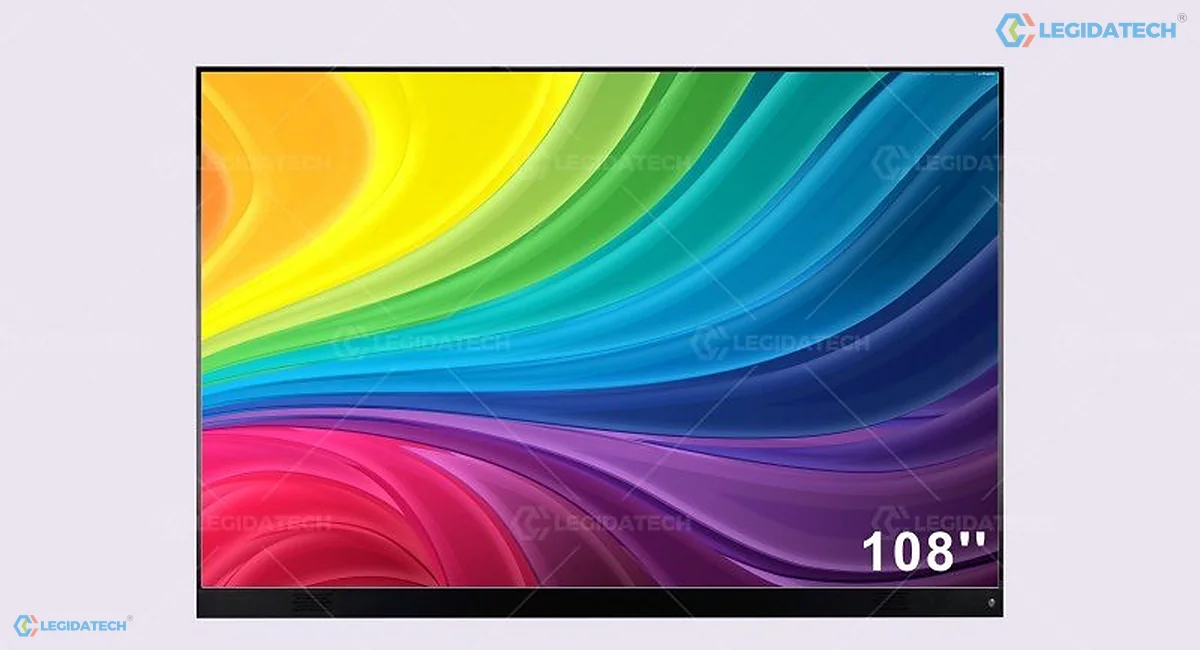
The 108″ all-in-one panel, front face — one continuous surface with no fixings to line up on site; the unit is ordered on a mobile stand or with a wall bracket
Quick Answers Before You Scroll
What does “all-in-one” actually mean? That the display, the receiving and control electronics, the Android playback system and the speakers are housed in the same unit, and it mounts on a mobile stand, a wall bracket or a floor stand without a steel frame behind it. You provide power and a signal; there is no separate cabinet wall, no processor rack and no on-site structure build.
How big should ours be? Match the size to the room, not to the budget ceiling. 108″ suits rooms of about 6–12 people, 135″ about 12–20, and 162″ about 20–30. A church using it as a secondary display in a hall can size down; a room where the back row is over 8m away should be looking at a wall, not an all-in-one.
Do we still need a processor? Not for the built-in Android system: you can cast wirelessly or run an app directly. If you want to feed it from an existing ProPresenter or switcher output, use an HDMI input — the display accepts a video signal like any other screen. What it will not do is replace a multi-source video switcher.
Can it be moved between rooms? Yes, on the mobile stand. It is a caster-mounted unit, not a portable screen that one person carries up stairs — the 108″ unit is around 2.4m wide. Treat it as movable within a building, not as transportable between sites.
Is COB overkill on an all-in-one? No, it is the reason the format works. The surface is close to people in a small room, and a sealed COB face handles being wheeled past, leaned on and wiped far better than an exposed lamp array.
What an All-in-One Unit Replaces, and What It Does Not
A conventional LED wall is a construction project: steel or wall fixings, cabinets, a control rack, power distribution, and a commissioning visit. An all-in-one display collapses four of those into a product that arrives assembled. What used to be a two-week installation with a contractor becomes a delivery, an unboxing and a calibration check.
What it replaces, concretely:
The steel structure. There is none. The unit carries its own frame, and the mobile stand is part of the product. On a wall mount it is a bracket and a few fixings; on a mobile stand it is a floor footprint of roughly 2.4 × 2.07m for the 108″ model.
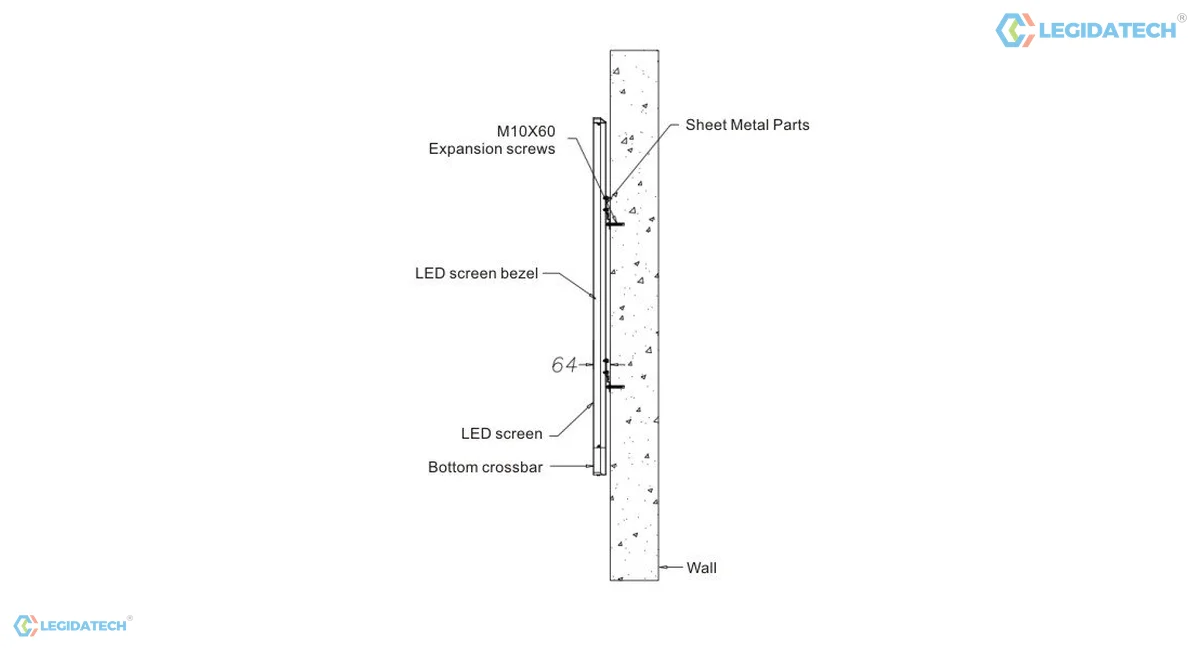
The wall mount in section — sheet-metal brackets and the screen bezel fixed straight to the wall, with no steel structure and no rear service corridor
The control rack. The receiving cards, the playback system and the input switching are integrated, so there is no separate processor to buy. Which board comes with the unit depends on the size as well as the pitch: on the 108″ unit the MEE410 board runs Android 13 up to P0.9375 and the MEE210 board runs Android 11 from P1.25; on the 135″ unit the MEE410 reaches P1.25; the 162″ build at P0.78 uses the H5 controller on Windows. The pairing is listed per model in the specification table below, because it is not one rule for the whole range.
The audio. Two 15W speakers are built into the unit. For a 20-person room that is enough for speech and playback. For a 200-seat sanctuary it is not, and the display should be treated as the picture only.
What it does not replace: a multi-source switcher, a control surface, or a wall. If your requirement is a 9m wide backdrop behind a stage, an all-in-one unit is the wrong product no matter how convenient it looks. The format is capped at 162″ by design, and everything about it assumes a room-scale screen rather than an architectural one.
The one thing to check before ordering. Measure the doorway and the lift. A 108″ unit is 2.4m wide and 2.07m tall on its stand; a 162″ unit is 3.6m wide. If it cannot get into the room it needs to be in, that is discovered on delivery day, which is the worst possible time to discover anything.
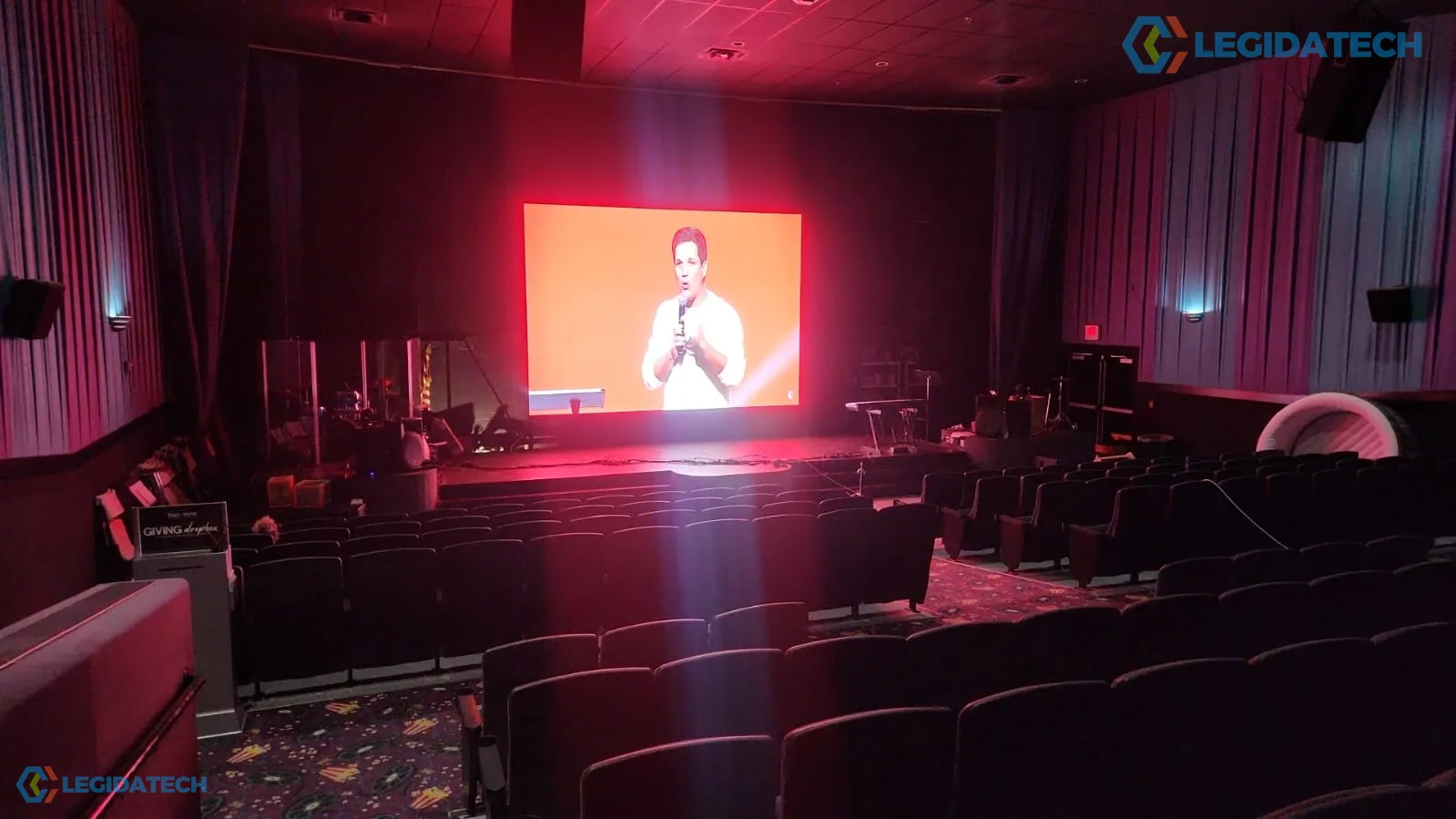
A church auditorium seen from the seats. A room this size is a fixed-wall project, not an all-in-one one — this format serves the smaller rooms described below. Representative church room, not an all-in-one installation.
Three Church Situations That Point at an All-in-One
This is not the product for a main sanctuary with a nine-metre wall. It is the product for the three situations below, and for those it removes most of the cost and all of the construction risk.
There is no budget for steel, or no wall that will take one
A heritage building, a leased hall, a room with a plasterboard or glazed front wall — these are the cases where a conventional wall becomes a structural project. An all-in-one unit needs a floor or a bracket, and that is the end of the civil works.
The room has to work for four different things
Sunday school at 9, a fellowship meal at 12, a board meeting on Tuesday and a youth night on Friday. A mobile unit gets wheeled where it is needed and parked when it is not. A fixed wall can only serve the room it is in.
The congregation is 20 people, not 200
At that size a 135″ screen is proportionally larger in the room than a 6m wall would be in a sanctuary. Buying a wall for a 20-person room is spending on scale that the room cannot use; the same money buys this format at a much better finished result.
Flip-Chip COB in 600×337.5mm Cabinets, 35.5mm Deep
The panels inside the all-in-one are full flip-chip COB, real pixel, in 600×337.5×35.5mm die-cast aluminium cabinets at about 4kg each, front service with module hot-swap. That frame is specific to this range and is not the fixed-wall cabinet: it is 35.5mm deep rather than 39.75mm, and it is offered with an extra 300×168.75mm module option the fixed-wall series does not list. The scan ratios come from the all-in-one data sheet rather than the wall series — 1/54 at P0.78 and P0.9375, 1/120 at P1.25, 1/108 at P1.56 and 1/90 at P1.875 — so compare the two formats on their own numbers.
Why the surface matters more here, not less
In a 20-person room the screen is 2–4m from every seat and people walk past it constantly. That is the exact condition where exposed SMD lamps get knocked and where a visible pixel grid is most distracting. A sealed matt COB face is not a luxury in this format; it is what keeps the product presentable after a year of use.
Hot-swap from the front
Modules are removed and replaced from the front without opening the unit. On a mobile stand this matters twice: you do not need to move the unit away from the wall to service it, and a spare module can be swapped by a volunteer with a suction tool in the time it takes to change a light bulb.
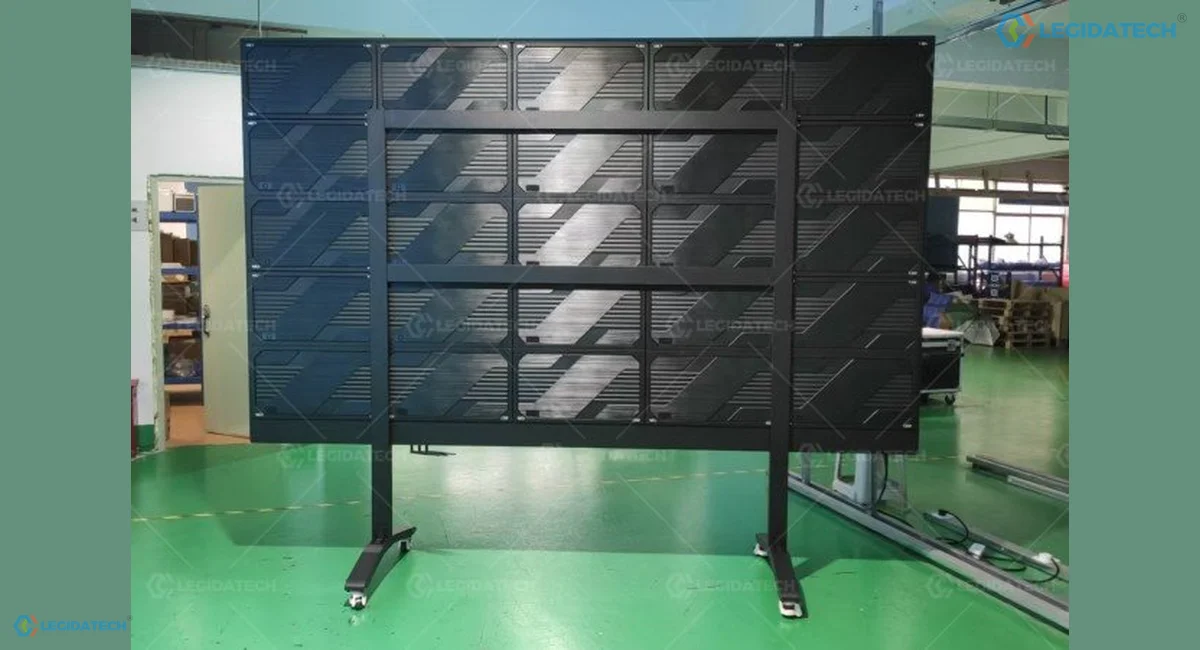
Rear of an all-in-one unit — modules, receiving cards and power sit inside one chassis, shown here on the caster-mounted mobile stand that is part of the product
Android Built In, Wireless Casting, and Where Your Existing Rig Fits
The unit runs its own Android system, which is genuinely useful for a small church and genuinely irrelevant for one with an established production rig. Both cases are common, so both inputs matter.
What the built-in system does well
Wireless casting from a phone or laptop, a launcher that can boot straight into the app you use, media playback from local storage, and no processor to switch on before the service. Android 13 is the board on the 108″ unit up to P0.9375, on the 135″ unit up to P1.25, and on the 162″ unit from P0.9375 to P1.56. Android 11 takes over at P1.25 on the 108″, at P1.56 on the 135″, and at P1.875 on the 162″; the 162″ at P0.78 is the one configuration that runs Windows, on the H5 controller. If app version matters to you, that is a reason to fix the size and the pitch together rather than one at a time.
What it cannot do, honestly
It is not a video switcher. If you run ProPresenter on a dedicated machine, a confidence monitor and a separate live-stream feed, the display should take a clean HDMI output from your existing chain and be treated as the picture at the end of it. Multi-source switching, keying and recording stay with the equipment you already have.
Choosing 108, 135 or 162 Inches by Room, Not by Budget
Three sizes, one format. The decision is a simple one: how far is the furthest seat, and how many people does the room hold. Over-sizing the unit is the more common mistake, because the room then cannot be laid out around it.
| Model | Display size | Footprint on stand | Cabinet layout | Suits rooms of about |
|---|---|---|---|---|
| 108″ | 2400 × 1350 mm | 2410 × 2070 mm | 4 × 4 = 16 cabinets | 6–12 people |
| 135″ | 3000 × 1687.5 mm | 3010 × 2408 mm | 5 × 5 = 25 cabinets | 12–20 people |
| 162″ | 3600 × 2025 mm | 3610 × 2745 mm | 6 × 6 = 36 cabinets | 20–30 people |
Resolution follows pitch, so the two decisions are linked
The same 108″ unit is 1920×1080 at P1.25 and 3072×1728 at P0.78. If native 1080p is the target, P1.25 on 108″ reaches it exactly. If you want native 4K, the shortest route is 135″ at P0.78 (3840×2160) or 162″ at P0.9375 (3840×2160) — not 108″, which cannot get there without going below the pitches this unit is built in.
The sizing rule that avoids a rebuild. Furthest seat distance in metres, divided by 2, gives a comfortable screen height in metres for text-heavy content. A seat at 6m wants about 3m of height — which is 162″ territory. A room where nobody is more than 4m from the screen is a 108″ or 135″ room.
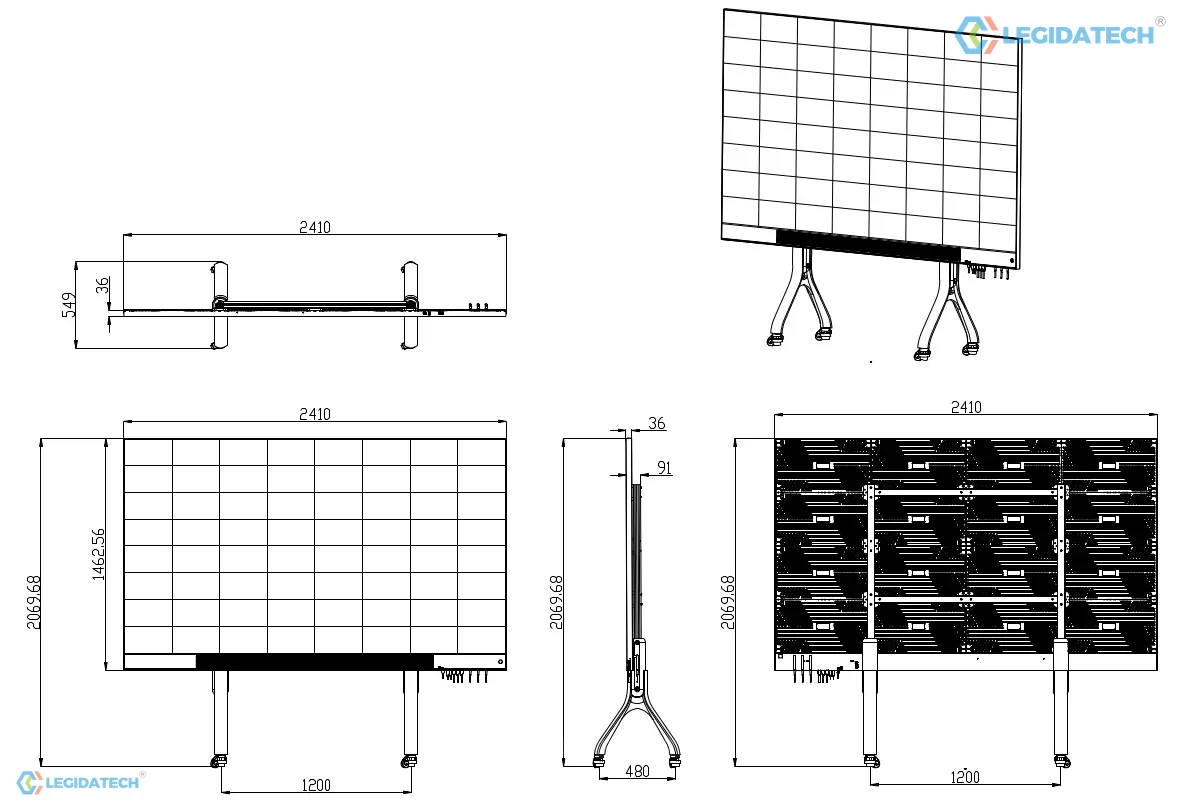
Dimensions including the stand — check these against the doorway and the lift before ordering
20,000:1 Contrast, 175° Viewing and 2×15W Audio
Three figures on the datasheet change how a room feels rather than how the spec sheet reads, and they are worth understanding before you compare this unit with a projector or an LCD panel.
Contrast 20,000:1, in a room with the lights on
LED does not project, so it does not have to fight ambient light. A 20,000:1 figure is measured in dark conditions, but the practical consequence is that black stays black with the house lights up. That is the difference a projector cannot close: a projector’s black is the wall it is pointed at.
175° viewing angle
Everyone in a small room is off-axis. At 175° horizontal and vertical, a seat at the side of the room sees essentially the same picture as the centre — no dimming, no colour shift. For a room laid out in a horseshoe or around tables, this is the figure that decides whether the format works.
2×15W audio, and when it is not enough
Two 15W speakers cover speech and playback in a room of up to about 20 people. Past that, plan on feeding the room’s sound system and treat the built-in audio as a convenience. Do not size a sanctuary’s audio around the display.
Where Churches Put an All-in-One LED Display
Three rooms, one product. In all three the deciding factor is the same: the room is used for more than one thing, and the display has to move with it.
The fellowship hall and multi-purpose room
Sunday school, a shared meal, a midweek study, a funeral reception. The room has tables on some days and chairs in rows on others, and a fixed wall would be wrong for at least half of them. A mobile unit parks where it is needed and gets pushed to the side afterwards.
The small sanctuary that will never build a wall
A 20-person congregation in a leased building, or a church plant still deciding where it will be in three years. An all-in-one is the screen that moves with the congregation rather than being written off if the lease ends.
Overflow rooms and children’s ministry
A second room that needs the same picture as the main sanctuary, without a second construction budget. Feed it a stream decoder or an HDMI run and it behaves like a display; use the built-in Android system and it runs its own content.
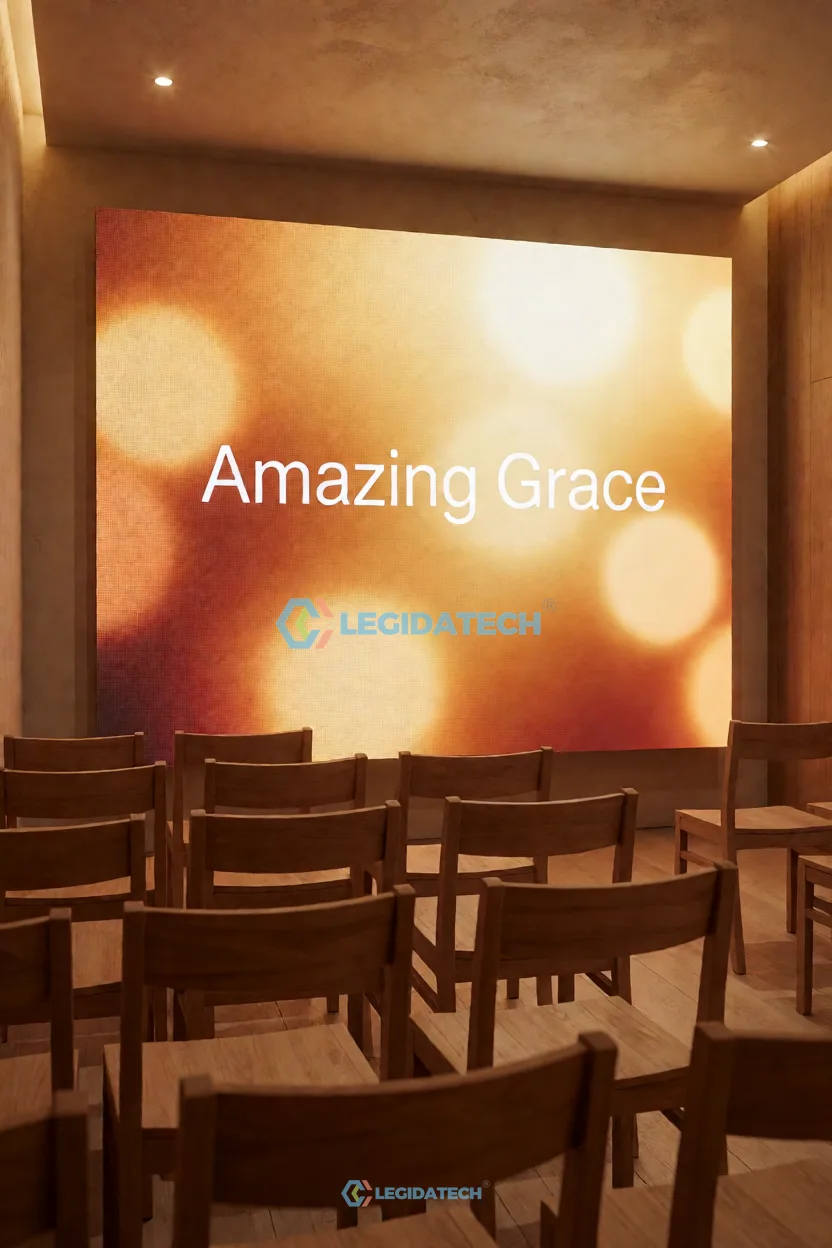
Small sanctuary — the room where an all-in-one is proportionally larger than a wall would be. Representative church room, not an all-in-one installation.
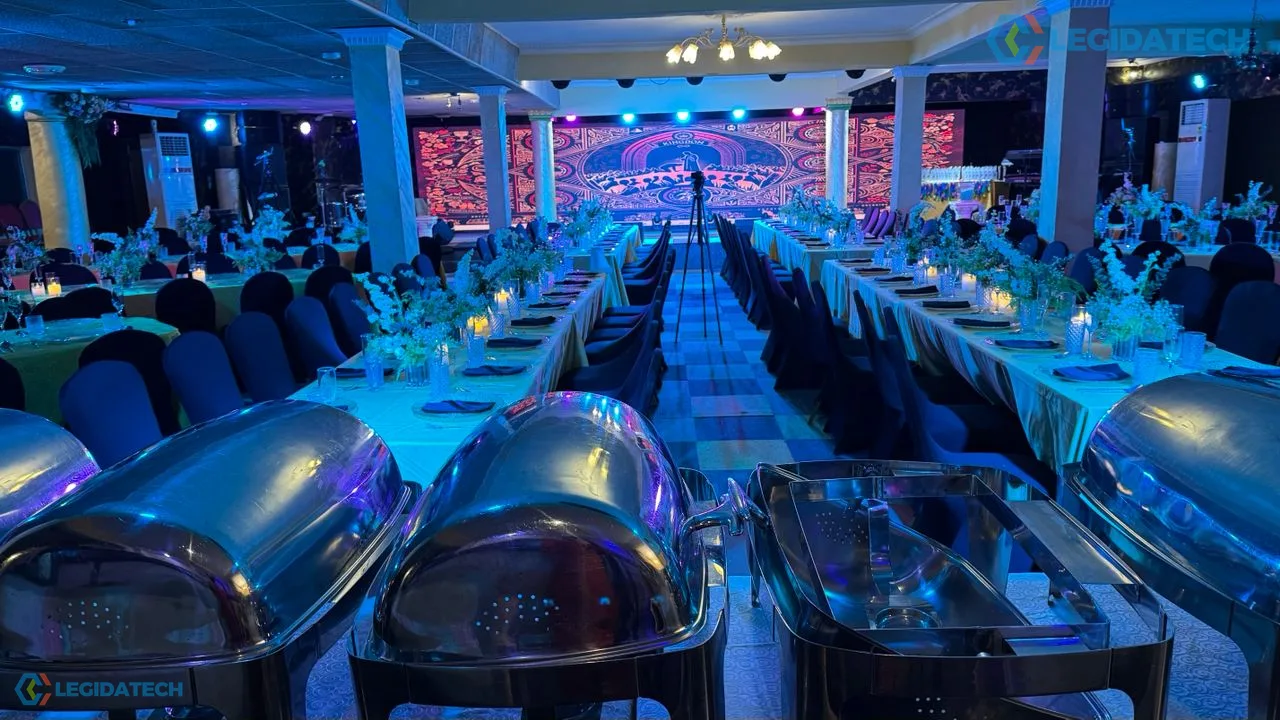
Fellowship hall — tables one week, rows the next. A hall this size is where the mobile stand earns its place. Representative church room, not an all-in-one installation.
All-in-One Specifications — Size, Panel and System
Size and resolution are the first table; the panel platform is shared across the range and follows. The 108″ and 135″ models are the current shipping configurations; the 162″ model is quoted to order.
| Parameter | 108″ Model | 135″ Model | 162″ Model |
|---|---|---|---|
| Display size | 2400 × 1350 mm | 3000 × 1687.5 mm | 3600 × 2025 mm |
| Size with mobile stand | 2410 × 2070 mm | 3010 × 2408 mm | 3610 × 2745 mm |
| Cabinet layout | 4 × 4 = 16 cabinets | 5 × 5 = 25 cabinets | 6 × 6 = 36 cabinets |
| Resolution at P0.78 | 3072 × 1728 | 3840 × 2160 (native 4K) | 4608 × 2592 |
| Resolution at P0.9375 | 2560 × 1440 | 3200 × 1800 | 3840 × 2160 (native 4K) |
| Resolution at P1.25 | 1920 × 1080 | 2400 × 1350 | 2880 × 1620 |
| Suits rooms of about | 6–12 people | 12–20 people | 20–30 people |
| Max power (P0.78–0.9375 / P1.25–1.56 / P1.87) | ≈ 1200 / 1120 / 1040 W | To be confirmed | ≈ 2700 / 2520 / 2340 W |
| Average power (same groups) | ≈ 480 / 448 / 416 W | To be confirmed | ≈ 1080 / 1008 / 936 W |
| Panel and system | Value |
|---|---|
| Packaging | Full flip-chip COB, real pixel |
| Pitch options | P0.78 / P0.9375 / P1.25 / P1.56 / P1.875 (model-dependent) |
| Module size | 150 × 168.75 mm / 300 × 168.75 mm |
| Cabinet size and weight | 600 × 337.5 × 35.5 mm, die-cast aluminium, ≈ 4 kg |
| Scan mode | 1/54 (P0.78, P0.9375) · 1/120 (P1.25) · 1/108 (P1.56) · 1/90 (P1.875) |
| Driver IC | FM6569Q across the range |
| Control system and OS, 108″ | MEE410 on Android 13 at P0.78–P0.9375 · MEE210 on Android 11 at P1.25–P1.875 |
| Control system and OS, 135″ | MEE410 on Android 13 at P0.78–P1.25 · MEE210 on Android 11 at P1.56–P1.875 |
| Control system and OS, 162″ | H5 on Windows at P0.78 · MEE410 on Android 13 at P0.9375–P1.56 · MEE210 on Android 11 at P1.875 |
| Resolution per m² | 1,638,400 (P0.78) / 1,137,777 (P0.9375) / 640,000 (P1.25) / 409,600 (P1.56) / 284,444 (P1.875) |
| White balance brightness | 600 nit |
| Refresh rate | ≥ 3840 Hz |
| Contrast ratio | 20,000 : 1 |
| Grayscale | ≥ 14 bit |
| Colour temperature | 3000–15,000 K adjustable |
| Viewing angle (H/V) | 175° / 175° |
| LED lifetime | 200,000 h |
| Audio | 2 × 15 W speakers |
| Installation | Mobile stand or wall mount, front service with module hot-swap |
| Input voltage | AC 100–240 V, 50 / 60 Hz |
| Operating temperature / humidity | −10 °C to +60 °C, 10–90% RH |
How to read these numbers. The 135″ power figures are marked to be confirmed for a specific reason: at 25 cabinets against 16 on the 108″, a figure carried over from the smaller unit would be wrong by the difference, so it is confirmed per model on the datasheet issued with your quotation rather than extrapolated from the 108″ column. Extrapolating between sizes is how power budgets end up wrong. Resolution changes with pitch, so read the size column and the pitch column together: 108″ reaches native 1080p at P1.25, and native 4K starts at 135″ (P0.78) or 162″ (P0.9375). Scan ratios and the driver IC (FM6569Q) are taken from the all-in-one data sheet, V1.0, 2025-05-16, not from the fixed-wall series, and so is the controller: the MEE410 / MEE210 split moves with the size, which is why it is listed once per model rather than once for the range.
Choosing Your Size and Pitch Together
Two columns, one decision. Find your furthest seat distance first, then choose the pitch that gives you the resolution you need at that size.
| Furthest seat | Size | Pitch for 1080p | Pitch for 4K | Room |
|---|---|---|---|---|
| Up to 4 m | 108″ | P1.25 (native 1920×1080) | Not reachable at this size | Small chapel, children’s room, meeting room |
| 4–6 m | 135″ | P1.56 or P1.25 | P0.78 (native 3840×2160) | Fellowship hall, overflow room |
| 6–8 m | 162″ | P1.875 or P1.56 | P0.9375 (native 3840×2160) | Multi-purpose hall, small sanctuary |
| Over 8 m | — | Look at a fixed wall instead | An all-in-one is the wrong format at this distance | |
What Drives the Price of an All-in-One
An all-in-one is priced as a finished product rather than as panels plus installation, and that changes what moves the number.
1. Size. Cabinet count scales with the area: 16, 25 or 36 cabinets. This is the dominant cost driver and it is why the 162″ unit is in a different bracket entirely.
2. Pitch. At a fixed size, pitch multiplies the pixel count without changing the cabinet count — so the electronics and calibration cost rises while the structure cost does not.
3. Stand or wall mount. A mobile stand is a real cost item, roughly the price of a few cabinets, and it is worth it if the room reconfigures. If the unit will hang in one place forever, a wall bracket is cheaper and gets the footprint out of the room.
4. Where the savings are, compared with a wall. No steel structure, no contractor visit, no control rack, no on-site commissioning week. On a small screen those savings are a meaningful share of the project; on a large one they are noise. That is the honest reason this format is attractive in a 20-person room and not in a 200-person one.
When an All-in-One Is the Wrong Choice
You need a wall wider than 3.6m. The range stops at 162″. A church wanting an 8m backdrop needs a fixed wall, and no amount of convenience makes an all-in-one replace one.
Your room seats more than about 30 people. At that point the unit is proportionally too small for the furthest seat and the built-in audio is too weak. A fixed wall with a proper sound system is the correct spend.
You want native 4K on a 108″ screen. It is not available in this format at that size. 4K starts at 135″ with P0.78.
You need to move it between buildings. It is a caster-mounted unit, not a road case. For a travelling ministry, a rental cabinet in flight cases is the right product.
The room is bright with daylight. 600 nit is a controlled-lighting figure. A unit placed against a window wall will look washed out at midday, and a brighter fixed build at a coarser pitch is the better answer.
All-in-One vs Fixed COB Wall vs Projector
The three alternatives a church weighs at this size are not all LED. A projector is often already in the room, and the comparison is where most of the decision actually happens.
| Option | Install | Picture with lights on | Where it wins |
|---|---|---|---|
| All-in-One COB (this page) | Delivered assembled; stand or bracket | 20,000:1, no ambient wash-out | Rooms of 6–30 people that reconfigure, no structure budget |
| Fixed COB wall | Wall fixings and structure, installer visit | Same, on a much larger surface | Sanctuary walls over 3.6m; the main display in a large room |
| Projector and screen | Ceiling mount, cable, dark room | Washed out; black is the wall | Very large images on a very small budget, where the room can be darkened |
If the projector is already in the room and the complaint is that nobody can read it with the lights on, this format is the lowest-cost route to fixing that. If the complaint is that the screen is too small for the back row, a fixed wall is the answer and an all-in-one merely moves the problem.
When that wall is the right answer, the two builds to compare are the 600×337.5mm COB wall for a 2–6m viewing distance and the fine pitch COB range where a camera sits close or the screen is read from under 2m. All indoor formats are listed on indoor church LED screens.
The Installations Behind This Unit, and the Paperwork You Get With It
An all-in-one is usually the first LED purchase a church makes on its own, without an AV integrator in the room, so the evidence question is direct: has this company built church screens before, and what arrives with the invoice?
| Installation | Country | Built with |
|---|---|---|
| Church LED wall | United Kingdom | P2.5 indoor |
| Magic series church wall | Nigeria | P3.91, 6 × 2m |
| Ehonor series church screen | Peru | P2.5, 5.12 × 2.88m |
| House of Miracle Ministry | Accra, Ghana | P2.5 indoor fixed |
| H3 stage screen | Nigeria | P3.9, 13 sqm |
Each project above links to the case page on this site. Dimensions and pitch are as published there.
What this table does not show. None of the installations above is an all-in-one unit. Every one is a fixed wall, which is the format an all-in-one is bought instead of. We state that plainly because the whole point of this format is to skip the integrator, and a buyer skipping the integrator should know exactly which case photos are the same product and which are only the same company.
Documentation issued with the quotation
- Shop drawing with the cabinet layout, mounting points and power and signal routing for your wall dimensions, approved by you before production starts.
- Datasheet for the exact pitch in your order, with every cell on this page that reads To be confirmed filled in.
- Certificate copy for your destination — CE, RoHS and FCC as applicable, with UL on specific configurations.
- Spare parts list, module-swap procedure and the packing list.
- Warranty terms in writing, and the payment structure on the proforma invoice.
Lead Time, Spares and Warranty for a 108, 135 or 162 Inch Unit
Lead time. 15–25 working days after the deposit and the approved order configuration, plus freight. The unit ships assembled, so there is no on-site build step in the schedule.
What ships with the unit. The display, the integrated Android system, the speakers, the mobile stand or wall bracket as ordered, the control accessories and a spare module allowance. Freight packaging for a 2.4m to 3.6m unit is a crate, and the crate dimensions should be checked against the delivery route before dispatch.
Warranty. Two years on modules, receiving cards and power supplies as standard, with extension available on the order. Module replacement is a front hot-swap, so a warranty claim does not necessarily mean the unit leaves the building.
Certification. CE, RoHS and FCC documentation is available for the models we ship, with UL on specific configurations. The certificate set for your destination is confirmed in the quotation.
What an all-in-one changes about delivery. The unit leaves the factory assembled and tested as one item, so there is no site build, no control rack to wire and no commissioning week. The real constraint is access: the 162 inch unit arrives crated as one piece and needs a route from the truck to the room wide enough for it, which we confirm with you against your door width before the order is placed.
Payment terms. Deposit and balance structure is set out in the proforma invoice; T/T is the normal route and L/C is available on larger orders.
A Church Installation at Room Scale: What an All-in-One Replaces
The unit is built for the room in this clip: a church where the screen is the whole picture rather than a backdrop behind a stage. The installation shown is a fixed wall project in Mexico, not an all-in-one unit, and that is the comparison worth making — a wall of that kind needs a structure, a control rack and a commissioning visit on site.
An all-in-one replaces all three with one delivered unit. Where the room can take a wall and the budget covers the structure, the wall wins on size. Where it cannot, this is the format.
A LEGIDATECH church installation in Mexico — a fixed wall, which is the format an all-in-one unit is bought instead of.
All-in-One Questions From Church Committees
Q1What is an all-in-one LED display and how is it different from an LED wall?
An all-in-one carries its own frame, control electronics, Android system, speakers and mount in one unit, so it installs on a floor stand or wall bracket without a steel structure. An LED wall is a build: cabinets on steel or wall fixings, a separate control rack and a commissioning visit. This format is capped at 162 inches; a wall is not capped at all.
Q2Which size should we buy for our room?
Match the furthest seat. Up to 4m, 108 inches; 4 to 6m, 135 inches; 6 to 8m, 162 inches. Beyond 8m an all-in-one is the wrong format and a fixed wall is the correct spend. As a text-legibility rule, furthest seat distance in metres divided by two gives a comfortable screen height in metres.
Q3Can we get native 4K on the 108-inch model?
No. At 108 inches the pitch options that fit this unit top out at 3072 x 1728 at P0.78, and native 1080p at P1.25. Native 4K starts at 135 inches with P0.78 or 162 inches with P0.9375. If 4K is a firm requirement, the size decision is made for you.
Q4Do we still need a video processor or switcher?
Not for the built-in Android system, which casts wirelessly and plays back local media. If you run ProPresenter or a switcher, feed the unit a clean HDMI output and treat it as the display at the end of your chain. Multi-source switching and keying stay with your existing equipment.
Q5Which Android version do we get?
It follows the size and the pitch together, and the pairing is not the same on all three sizes. On the 108-inch unit, MEE410 with Android 13 runs up to P0.9375 and MEE210 with Android 11 from P1.25. On the 135-inch unit, MEE410 reaches P1.25 and MEE210 takes P1.56 and P1.875. On the 162-inch unit, P0.78 is the H5 controller on Windows, MEE410 with Android 13 covers P0.9375 to P1.56, and MEE210 with Android 11 is the P1.875 build. The full pairing is listed per model in the specification table. If a specific app version matters, confirm the pairing for the exact size and pitch before you order.
Q6Can the unit be moved between rooms by one person?
It rolls on its stand, and two people should move it. The 108-inch unit is 2.41m wide and 2.07m tall on its stand, so treat it as movable within a building rather than portable between buildings. Check the doorway and lift dimensions before ordering, not on delivery day.
Q7What are the power requirements?
AC 100 to 240 volts, 50 or 60 Hz. The 108-inch unit draws about 1200W maximum at P0.78 to P0.9375 and about 480W average; the 162-inch unit draws about 2700W maximum and 1080W average. The 135-inch figures are being confirmed and should not be extrapolated from the other two.
Q8How bright is it and will it work with the house lights on?
600 nits white balance, with a 20,000:1 contrast ratio. That is comfortable with the house lights up in a normal room, which is the main practical advantage over a projector. In a room with direct daylight on the screen it will look washed out and a brighter fixed build is the better answer.
Q9Does it include speakers and are they enough?
Two 15W speakers are built in, sufficient for speech and playback in a room of up to about 20 people. For a larger room, feed the house sound system and treat the built-in audio as a backup.
Q10How is it serviced if a module fails?
Modules are hot-swapped from the front without opening the unit or moving it away from the wall. Replacements ship with the screen as a spare module allowance, so a failed module does not mean a dark screen while freight is arranged.
Q11What is the minimum order and lead time?
One unit is a normal order. Production is 15 to 25 working days after the deposit and the approved configuration, plus freight; the unit ships assembled so there is no on-site build in the schedule.
Q12What warranty and certificates come with it?
Two years on modules, receiving cards and power supplies as standard, with extension available on the order. CE, RoHS and FCC documentation is available, with UL on specific configurations, confirmed in the quotation for your destination.
Written by the LEGIDATECH church display team from church installations in Africa, Europe and Latin America. Size, resolution and system values are the published platform figures for the all-in-one COB range; the 135-inch power figures are marked to be confirmed rather than estimated.